Redesigning a highly-complex service

435,000
Criminal cases tried using the system
80 of 92
Criminal Crown courts use the system
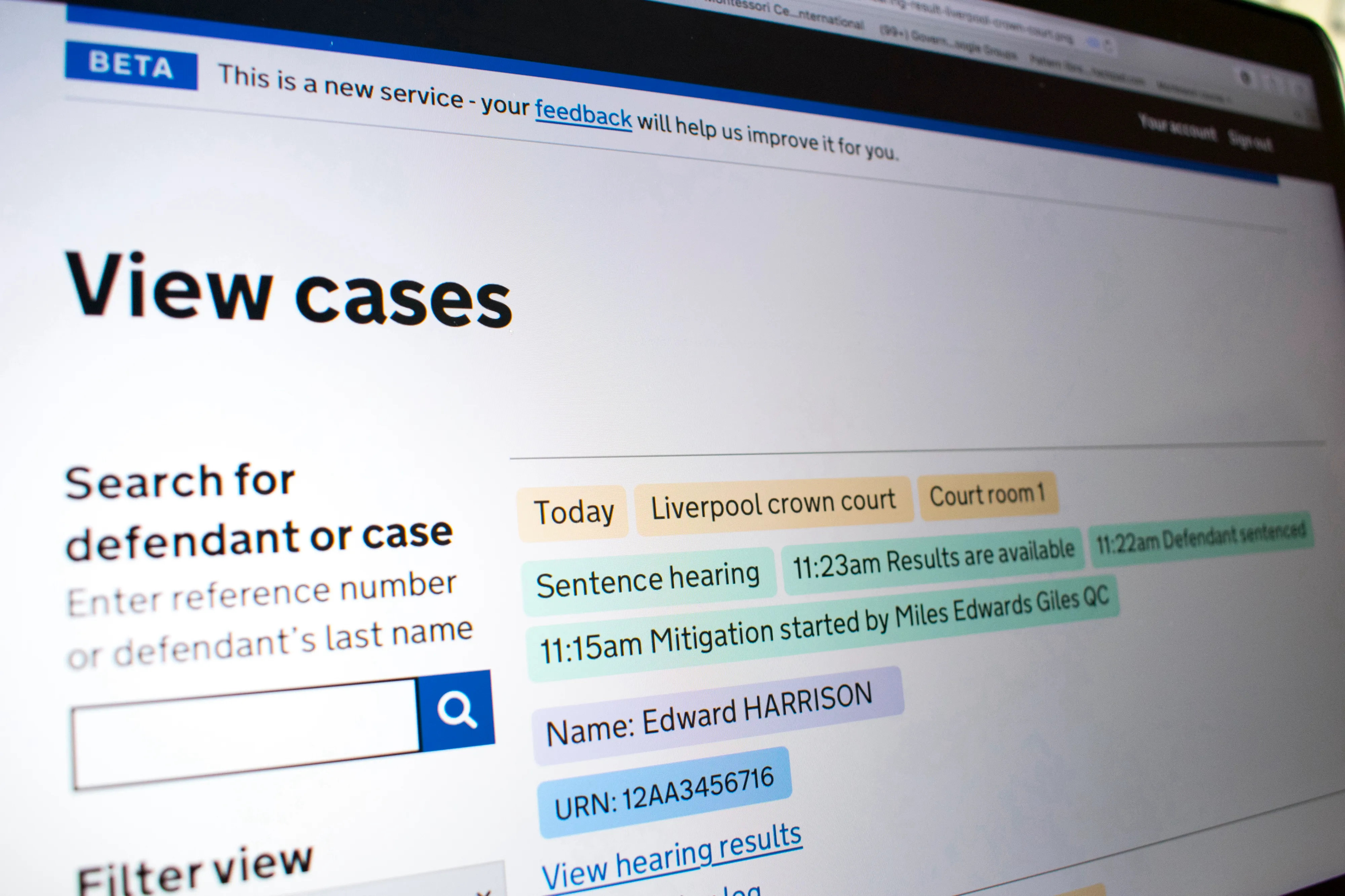
Website page displaying 'View cases' interface for searching defendant or case by reference number or last name, showing details of a Liverpool crown court sentence hearing with times and names, including defendant Edward Harrison and URN 12AA3456716.

Summary

Service Provider

The Ministry of Justice embarked on a transformation programme to deliver efficiencies in HM Courts and Tribunals Services.

The brief

Redesign and deliver a replacement for an old, costly system that documents that justice has taken place. And to deliver the system while joining up to the wider transformational programme.

What we did

Designed 2 internal system in an intuitive, efficient way for users and delivered business process efficiencies.

Impact

The system is live in criminal court proceedings across the country. And it was identified as valuable beyond Crown Courts, so it was scaled to the lower courts (Magistrates). There are many learnings and avoidable mistakes from the wider programme, but that needs a post or essay of its own. Regardless, we managed to carve out space to deliver great work. 
Journey

Learning about the business processes that underpin criminal justice

We began with a visit to our local Court; it did not take long to observe its inadequacy. We used our brief court experience and our Product Owner's business knowledge to plan our discovery. Throughout discovery, we visited Crown Courts across the UK to shadow users, conduct contextual research, workshops and a service safari.

Discovery allowed us to understand the domain and gather insights that were in scope, as well as insights that were not. The output would result in a service vision involving 2 products.

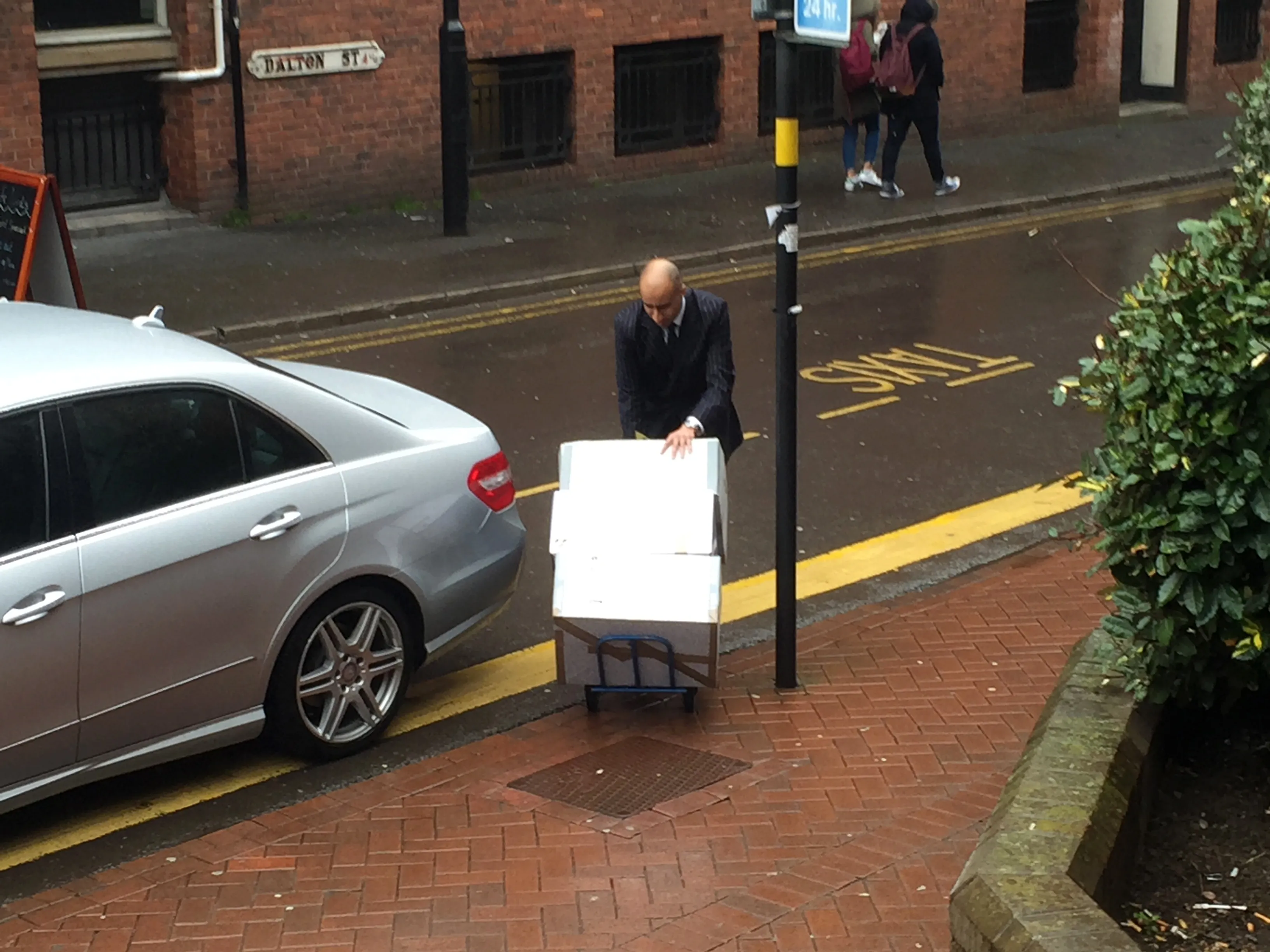
Court staff pushing 3 large boxes of paper documents required for criminal proceedings.
Court staff transport boxes of documents required for criminal proceedings.

Mapping legal intricacies while considering handovers across transformation teams

We conducted a range of research, and one of the key insights we observed highlighted how court staff struggled to record the judge's sentence. The issues were due to the poor system they had to use, but it also related to how quickly or clearly judges delivered their denting to the court. We spent a day or so in a war room thrashing out the most viable way to solve the problem. We discounted AI because it was emerging tech, and the upkeep would likely cost/resources would be too high once the service transferred to business as usual.

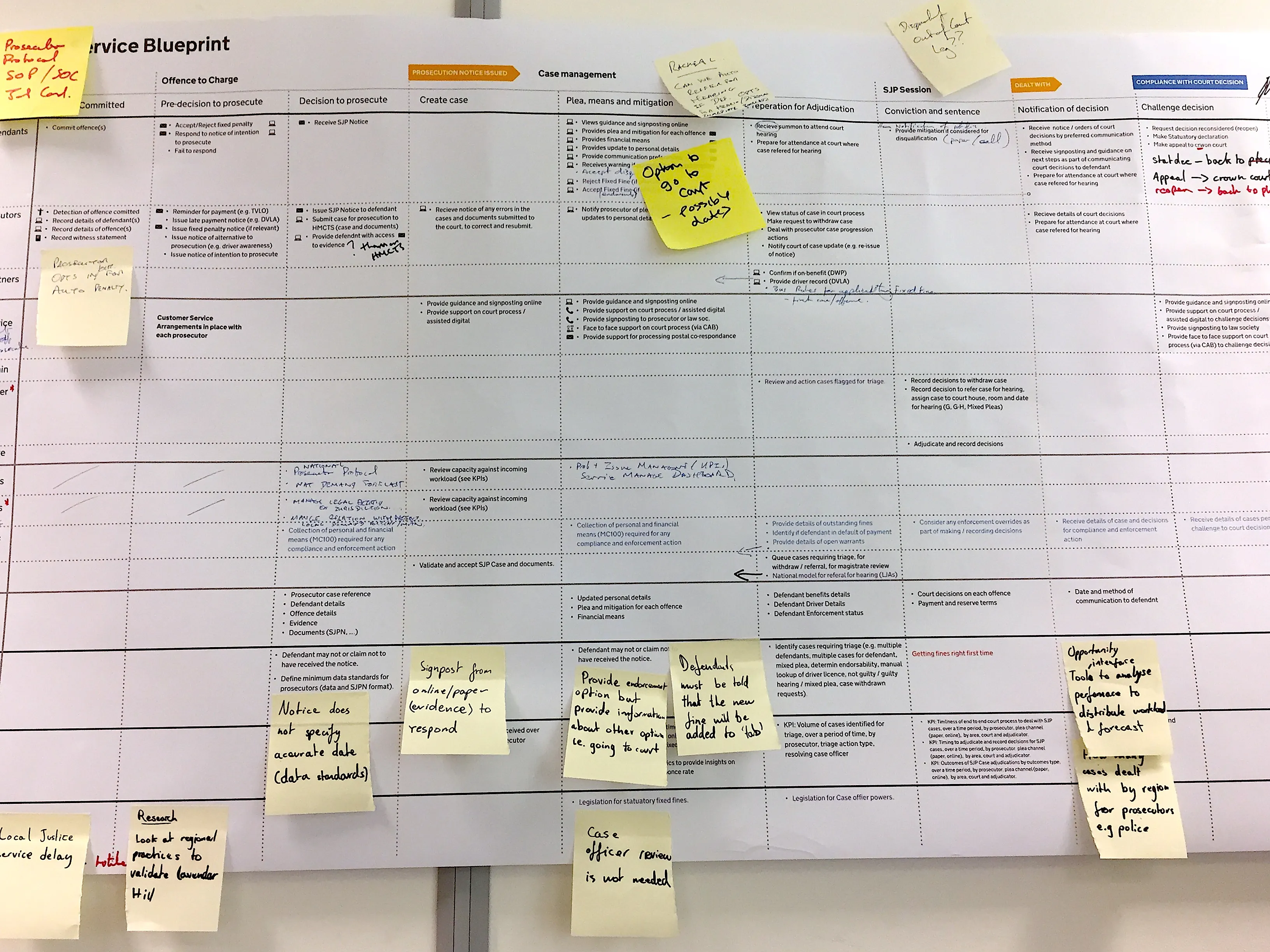
Blueprint on large paper pinned to a wall covered in yellow post-it notes  comments.
Cross-program blueprint with post-it notes to highlight where alignment is required.

From insight to idea

During our research, we observed how court staff struggled to record the judge's sentence. The issues were due to the poor system they had to use, but it was also because the context of court ceremonies, for example, speed, clarity and delivery by judges delivered their denting to the court. We ran design sprints and tech spikes to explore the different designs and delivery options. Those options were tested and iterated until,

  • it was effective and efficient for specialised court staff
  • technically deliverable within our timeframes, programme resources and dependencies
  • legacy data was integrated and cleaned up for our new architecture
  • Legal and policy collaborated and signed off  
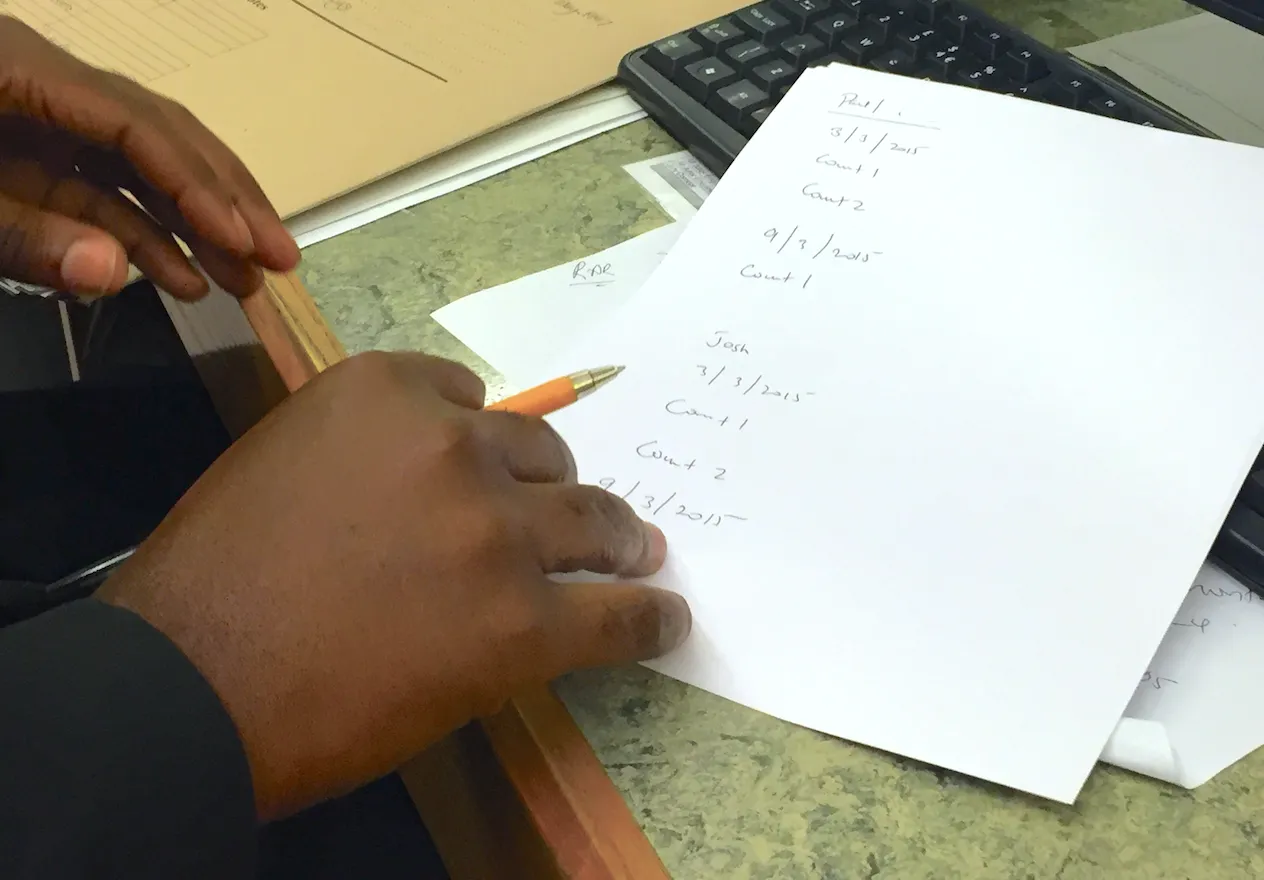
Court staff hold pen in hand just above an a4 piece of paper resting on a desk alongside a keyboard.
An example of the range of ways that court staff record a judge's sentence.

Iterations shaped by users, business and technical requirements

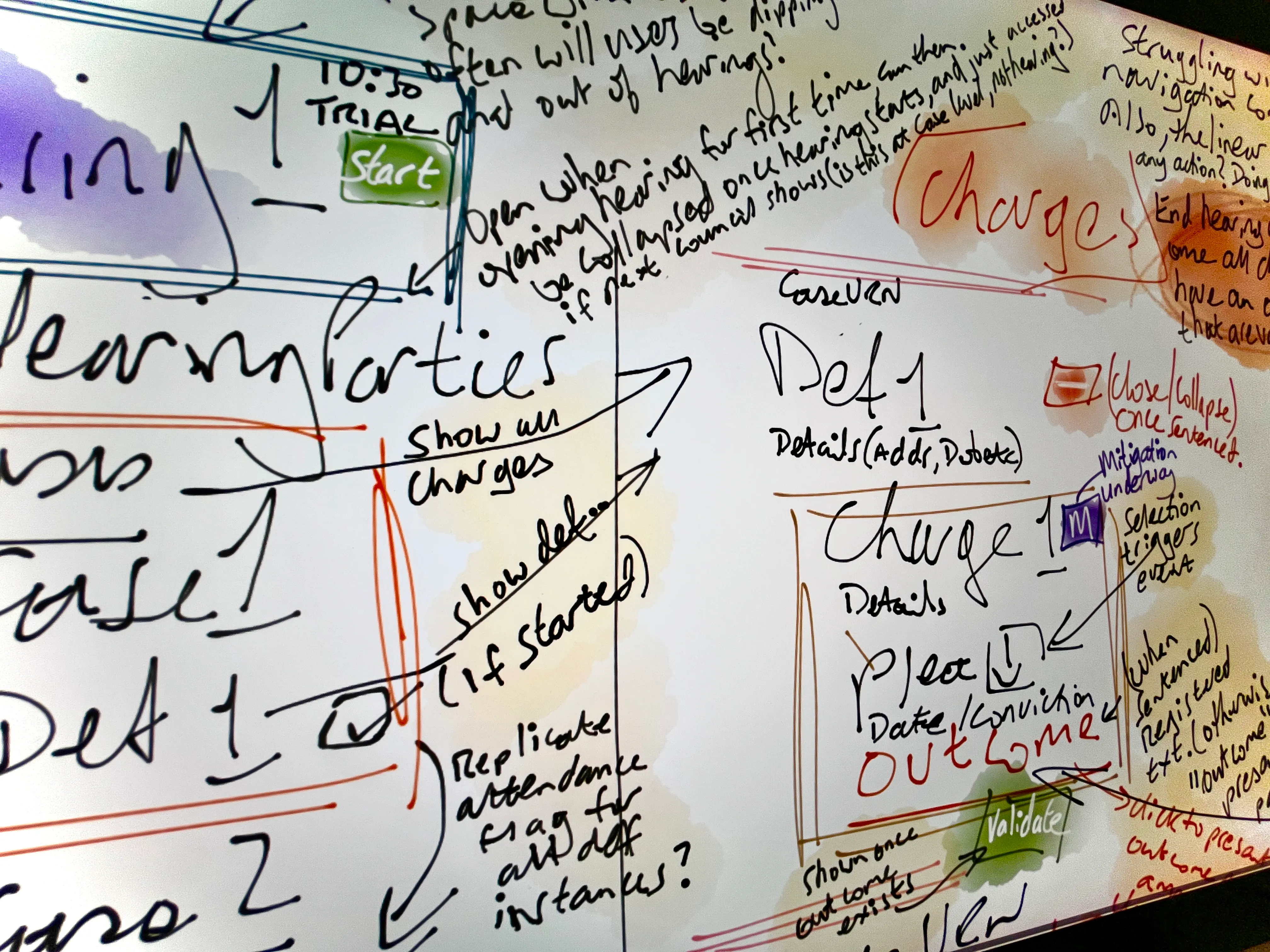
Section of a whiteboard filled with handwritten notes, arrows, and boxes outlining a flow or process related to legal case management, showing terms like 'Trial,' 'start,' 'Case Events,' 'Def 1,' 'Charge 1,' and annotations about hearing dates, charges, outcomes, and validation, with some text highlighted inside colored boxes like green for 'start' and 'validate,' plus scattered questions and instructions.
Team viability workshop
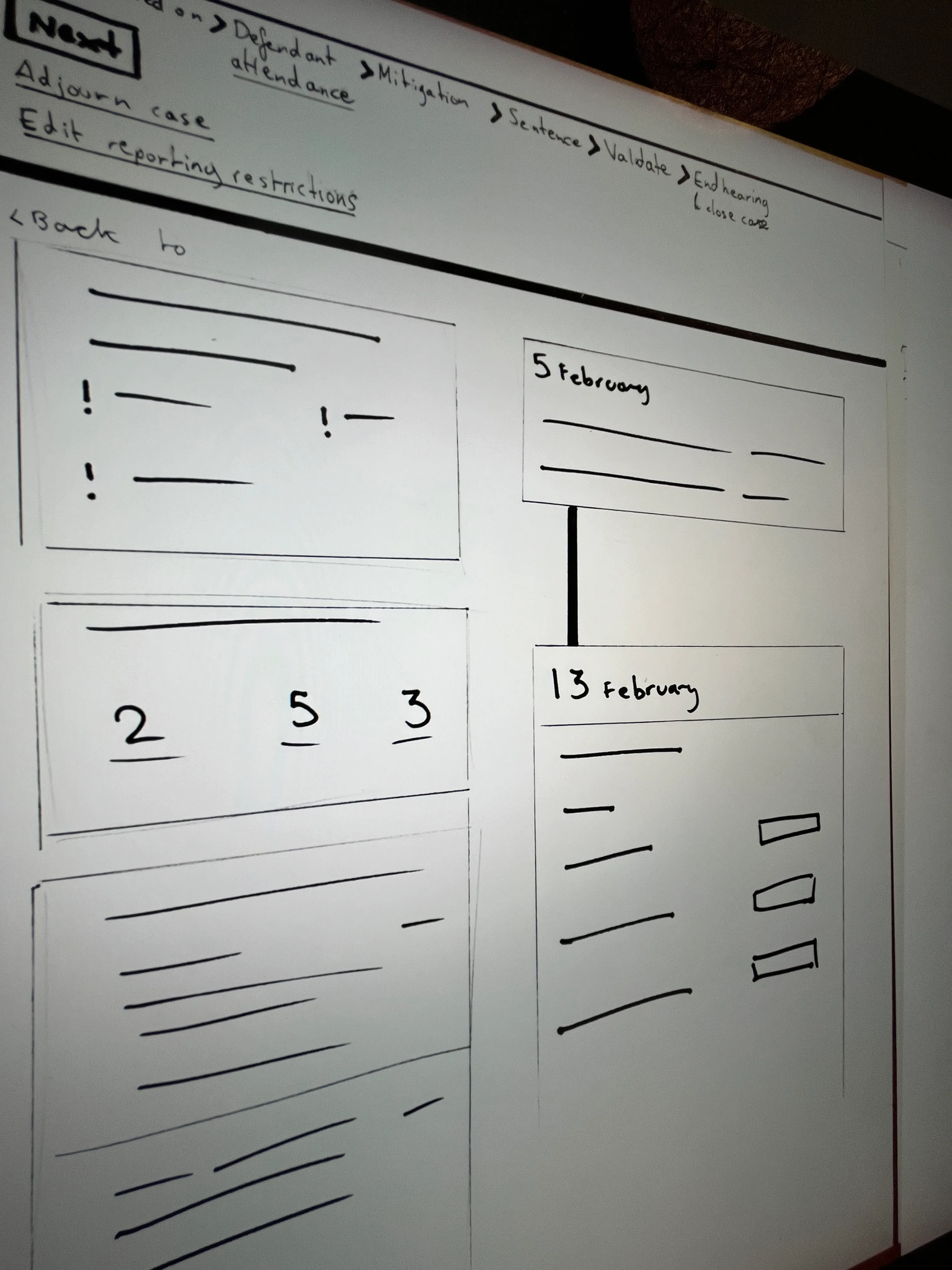
Photo of a whiteboard featuring a flowchart and sketches, including a navigation path with steps: Defendant attendance, Mitigation, Sentence, Validate, End hearing. The board includes boxes with dates February 5 and February 13 and various lines, exclamation marks, and numbers representing notes or tasks.
Concept sketch
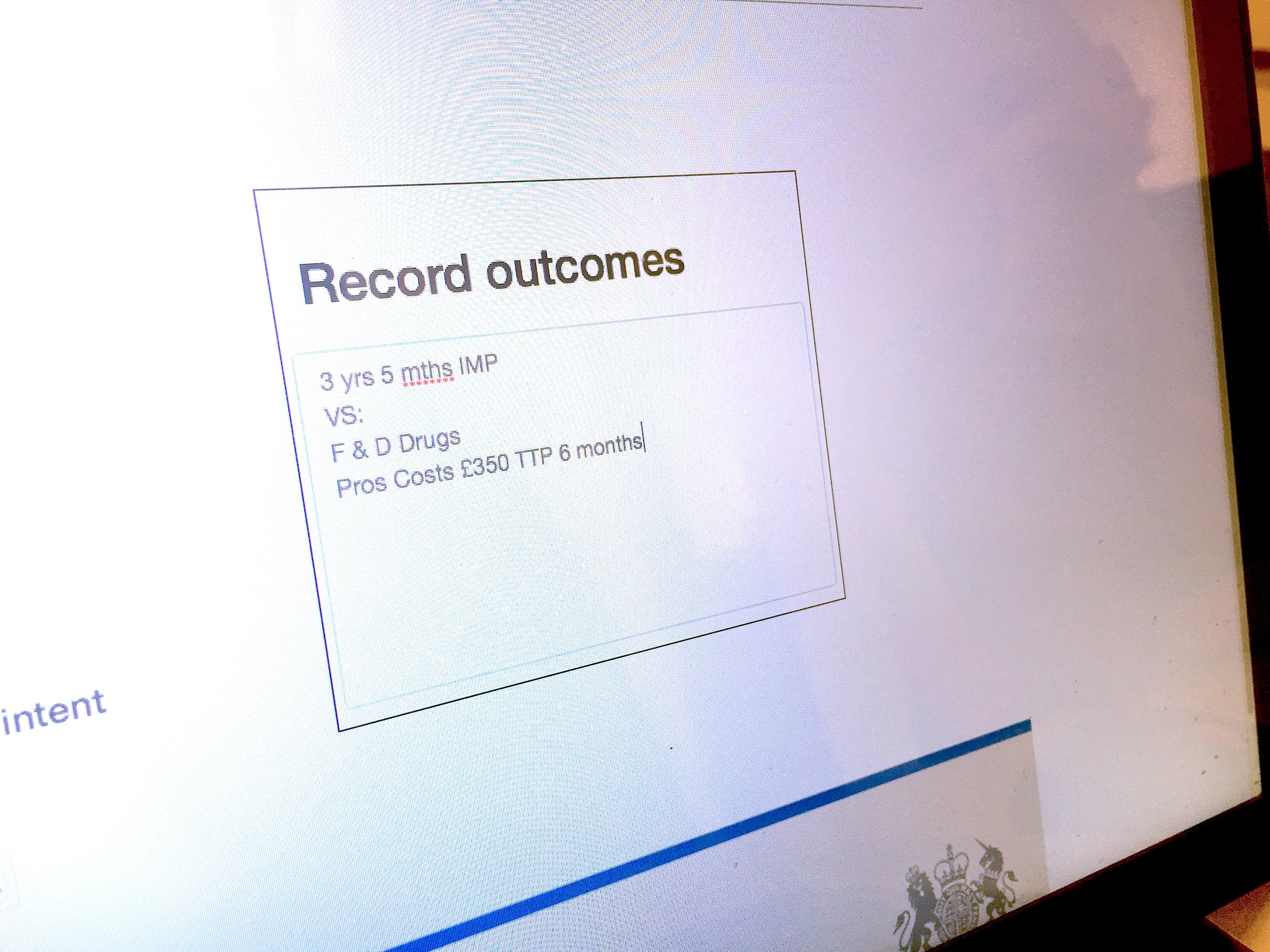
Computer screen showing a text box titled 'Record outcomes' with notes inside: '3 yrs 5 mths IMP VS: F & D Drugs Pros Costs £350 TTP 6 months'.
HTML prototype V1
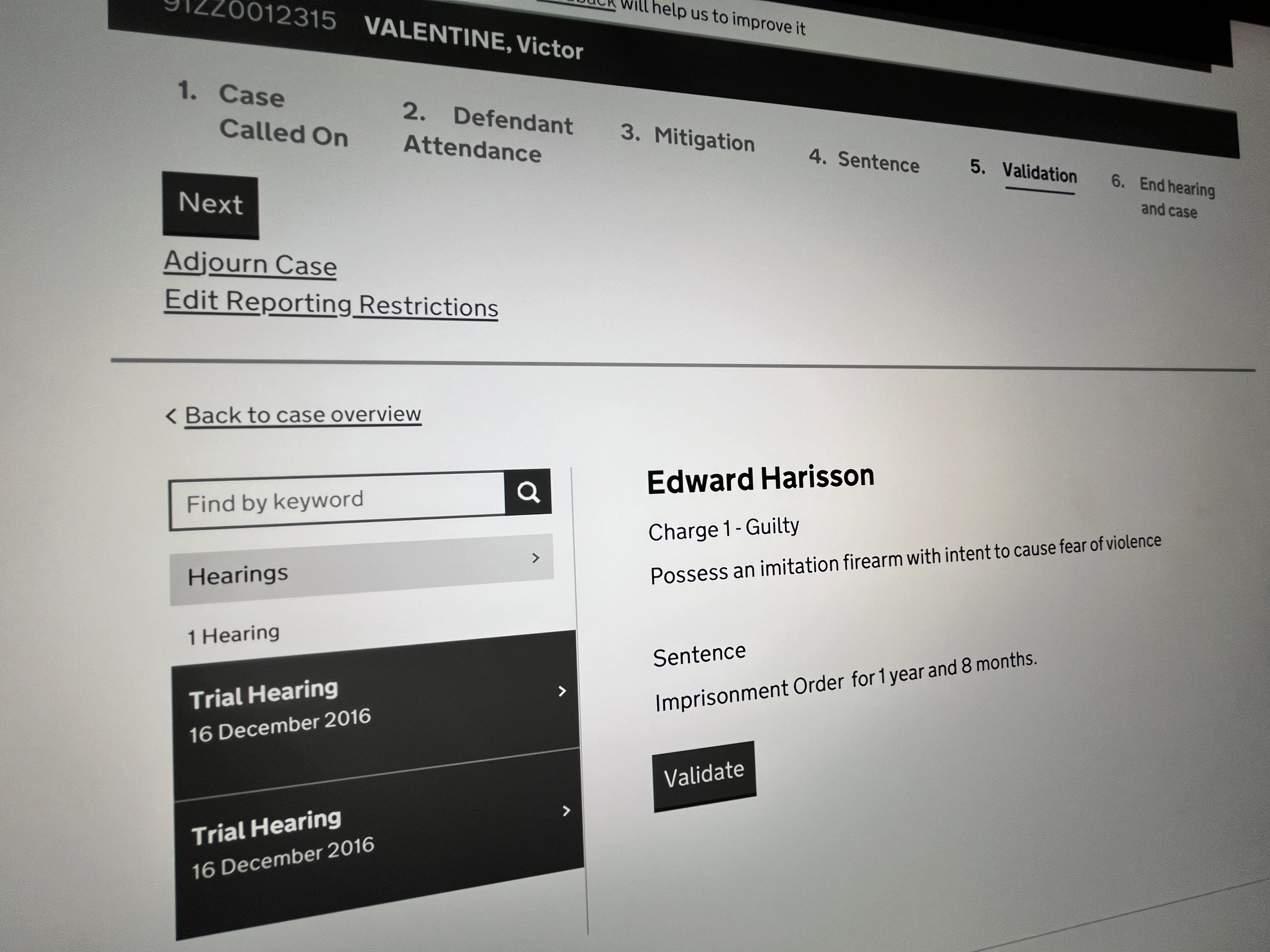
Court case interface showing steps: Case Called On, Defendant Attendance, Mitigation, Sentence, Validation (highlighted), and End hearing and case. To the left, a search box and hearing list with two Trial Hearings dated 16 December 2016. On the right, case details for Edward Harisson: Charge 1 - Guilty for possessing an imitation firearm with intent to cause fear of violence, and a sentence of imprisonment for 1 year and 8 months, with a Validate button below.
Wireframe
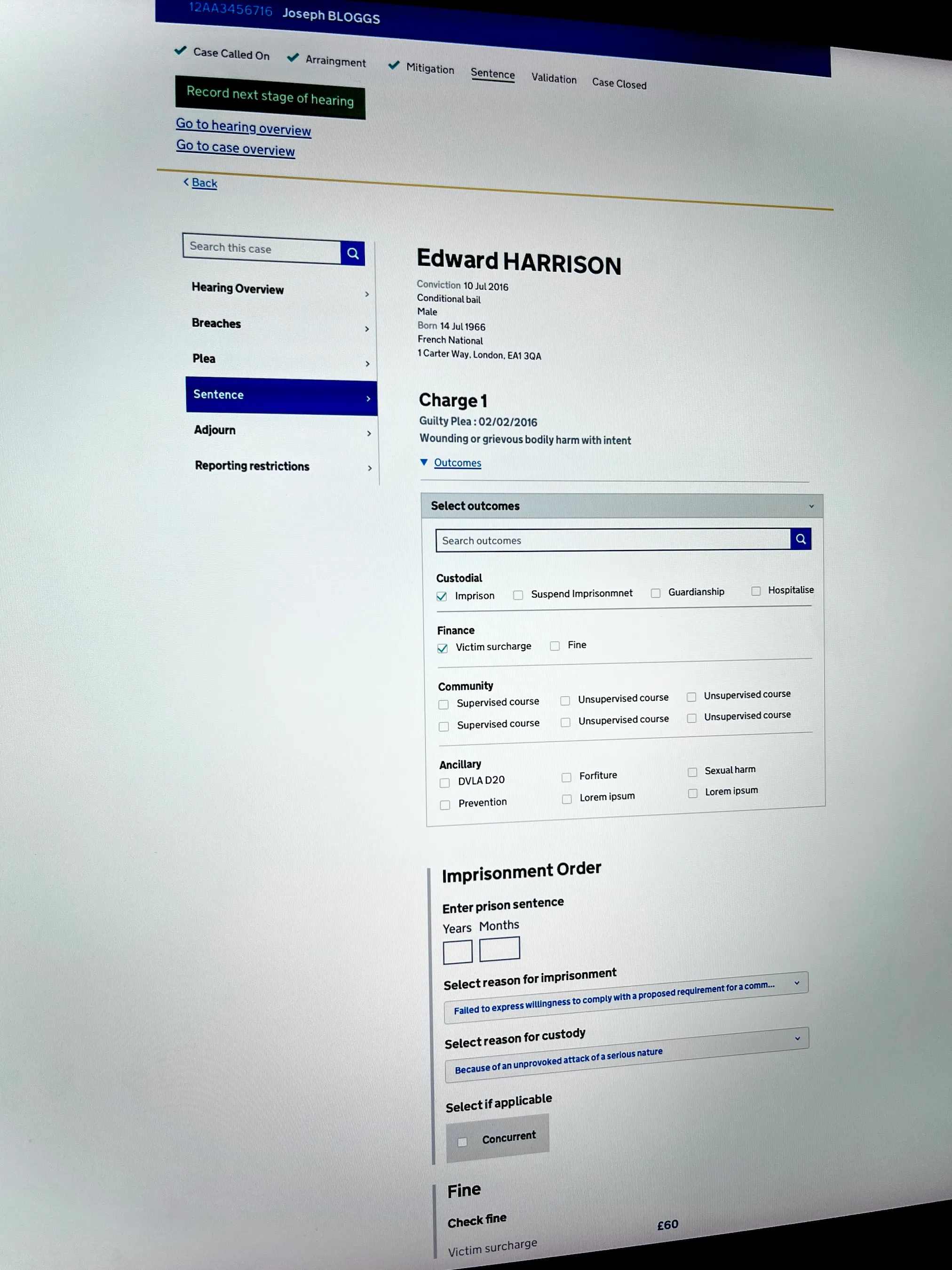
A court case interface showing conviction details for Edward Harrison with a guilty plea for wounding or grievous bodily harm. The 'Sentence' section is active with options to select outcomes like imprisonment and victim surcharge checked, entry fields for prison sentence duration, reasons for imprisonment and custody, and a fine section displaying a £60 victim surcharge.
HTML prototype V5
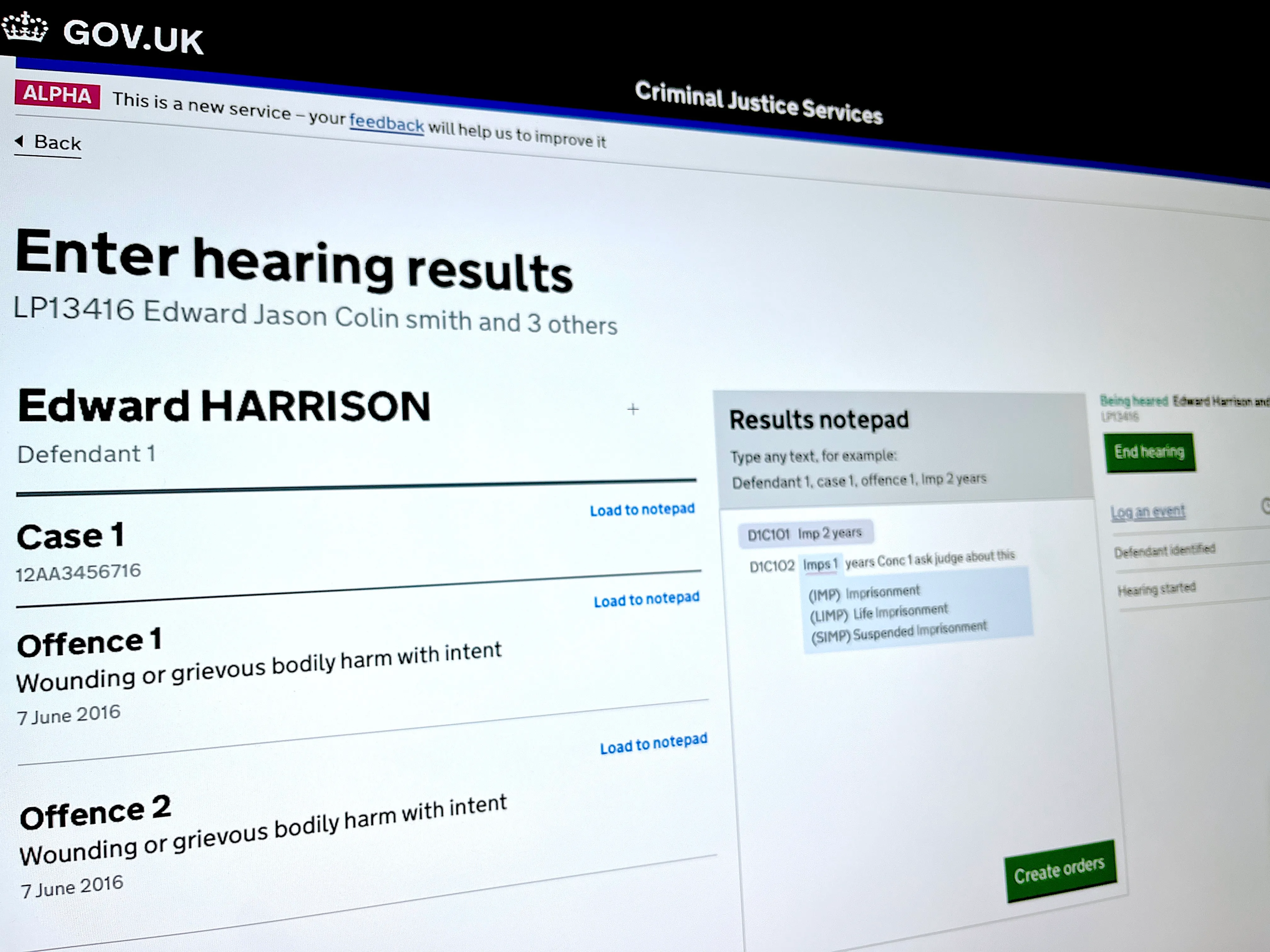
Screenshot of a GOV.UK Criminal Justice Services web page titled 'Enter hearing results' for defendant Edward Harrison, showing two offences listed as wounding or grievous bodily harm with intent from June 7, 2016. The right panel displays a results notepad with example text and abbreviations for types of imprisonment. Green buttons labeled 'End hearing' and 'Create orders' appear on the page.
HTML prototype V8
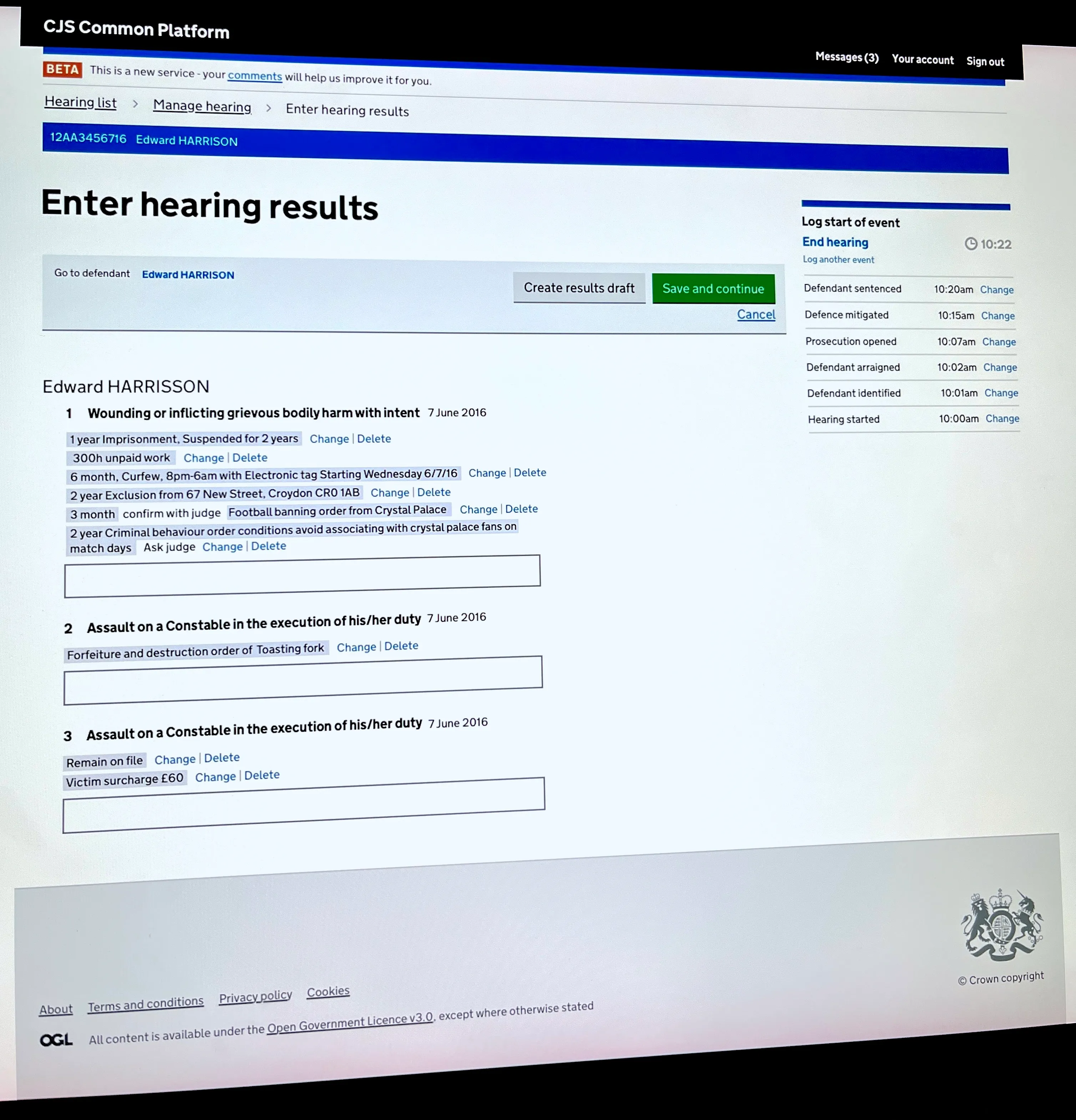
CJS Common Platform webpage showing 'Enter hearing results' for defendant Edward Harrison with offenses listed including wounding with intent, assault on a constable, and related sentencing details like imprisonment, unpaid work, curfew, exclusion, and victim surcharge. Options to create draft, save, or cancel are visible alongside a log of event times on the right. Footer displays Crown copyright and links to About, Terms and conditions, Privacy policy, Cookies, and Open Government Licence v3.0.
Fine tuning
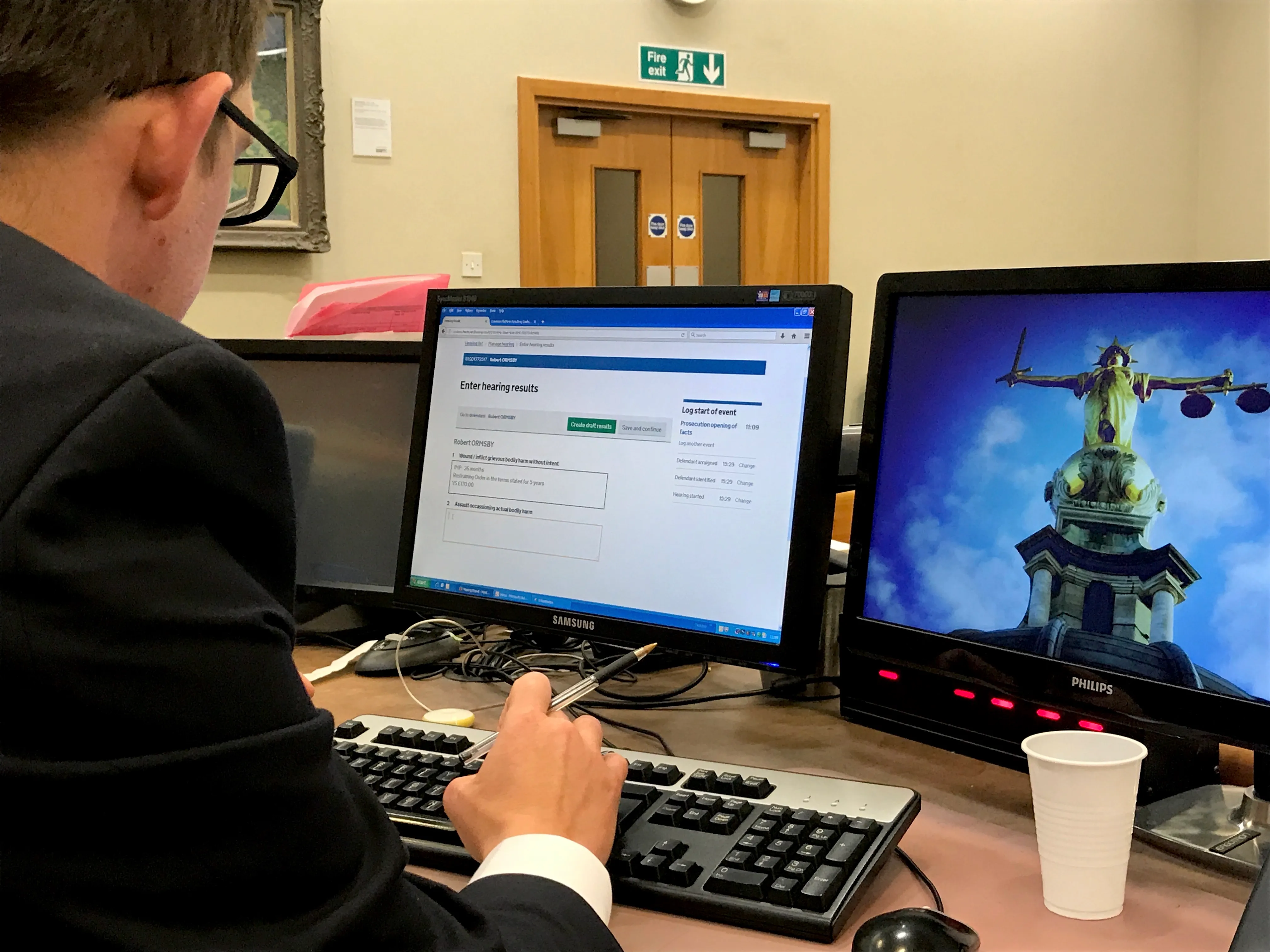
Person in a suit and glasses using a computer with two monitors on a desk; left screen shows a webpage titled 'Enter hearing results' with case details, the right screen displays an image of Lady Justice statue against a blue sky, with a white disposable cup on the desk.
A/B Testing

Efficient & Accurate Timestaping

We went all the way to the highest court in the country and consulted judges to identify what data points were essential, nice to have, or irrelevant. We then co-created a clear hierarchy with users to allow for manual browsing. And designed the interface to allow for searchability.

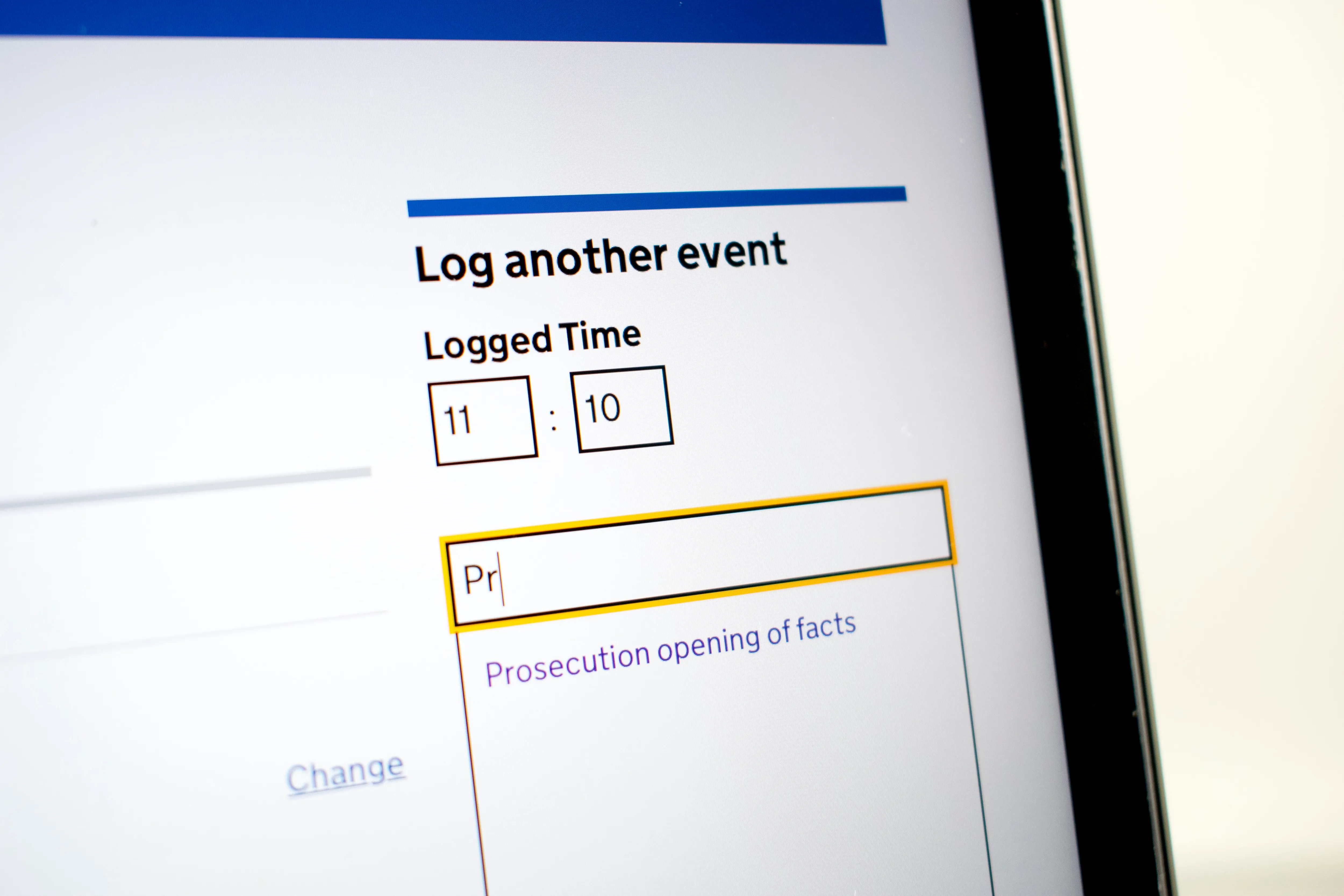
Close-up of website pattern to 'Log another event' showing time fields set to 11:10 and a text box where 'Pr' is typed, with a suggestion 'Prosecution opening of facts' below.
Inteface to allow court clerk to time stamp court proceedings easily and accuratley.  

Clearer court outcome documents

Digital court outcome documents sat in a legislation grey-area meaning we could be agile and transformative by stripping out much of the unnecessary noise, improving clarity and accessability of court outcomes which are used to enable onward enforcement and justice.  

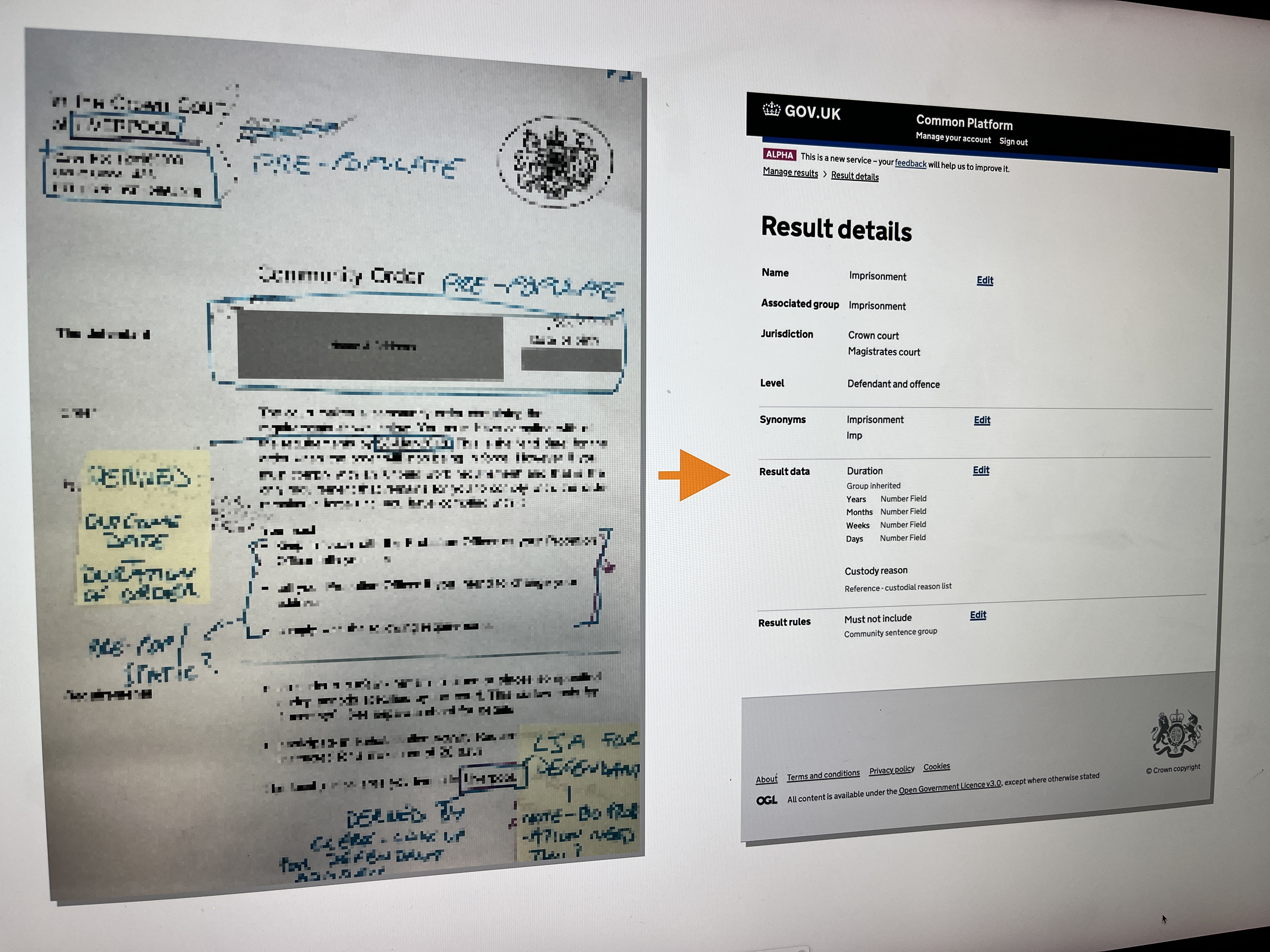
Side-by-side photo showing a marked-up printed court order document on the left and a GOV.UK Common Platform Result Details webpage on the right, with an orange arrow pointing from the document to the 'Result data' section on the screen detailing imprisonment duration fields including years, months, weeks, and days.
A legal order paper document was redesigned into a clearer digital format.

Communicating court hearings

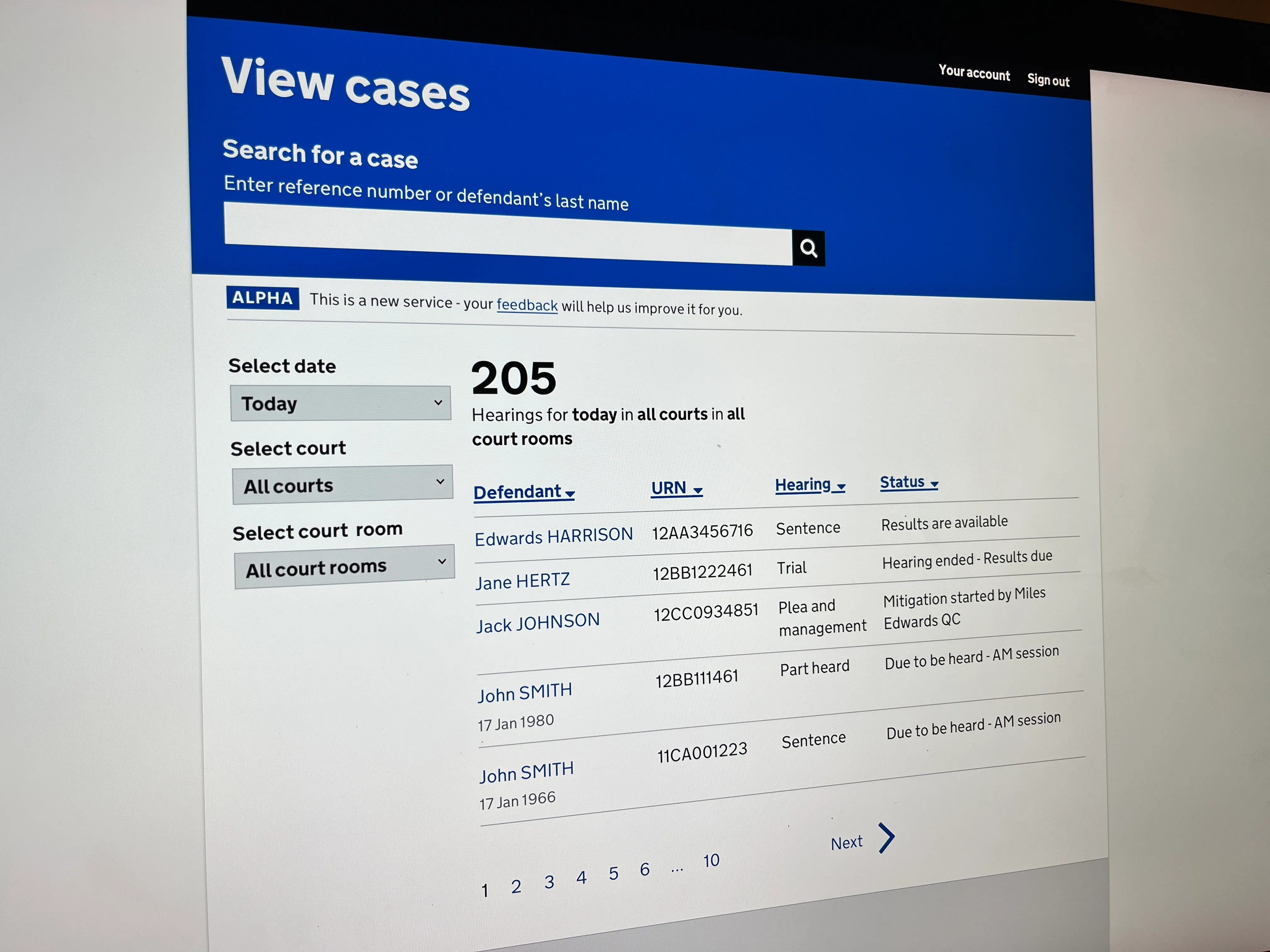
Court hearing dates, times, and relevant data were not easily accessible online. We created a product to address this gap. Our product clearly and easily communicated court hearings so the public could access key information.  

Web page showing a 'View cases' search interface for court hearings with filters for date, court, and court room, displaying 205 hearings today. Below is a table with columns for Defendant, URN, Hearing type, and Status, listing cases for Edwards Harrison, Jane Hertz, Jack Johnson, and two John Smiths with hearing details and statuses such as 'Results are available' and 'Due to be heard - AM session'. Pagination controls with numbers 1 to 10 and a 'Next' arrow are at the bottom.
New product to communicate court hearing information for the public.

Service

Close-up of a digital time log interface on a screen showing fields for logging an event with time inputs of 11:10 and a partially typed description starting with 'Pr', suggesting 'Prosecution opening of facts'.
Computer screen showing the CJS Common Platform webpage for entering hearing results for Edward Harrison with details of offences and sentences including imprisonment, unpaid work, curfew, exclusion order, football banning order, criminal behaviour order, and restraining order, plus a timeline of logged event times on the right side.
‘Like the way it creates notices, orders and warrants, it means we have more time to focus on duty of care’
‘Every court clerk in the country is going to want to hug you and buy you a pint’
‘I don’t mean to be rude but it is very simple’